
Choosing the disk space for a Virtual Private Server (VPS) is one of the most important factors that directly affects performance, speed, cost, and data management. Disk space represents the amount of storage available for the operating system, files, databases, and software. An incorrect choice can lead to problems such as slow performance, server space filling up, and the need for costly upgrades.
In this article, we will examine the concept of virtual server disk space, types of storage disks, how to choose the appropriate size, and important tips for optimal management.
What is Virtual Server Disk Space?
Virtual server disk space or storage space in a Virtual Server (VPS) refers to the amount of space that a user can use to store and manage their data. This space plays a fundamental role in the server’s performance, as all the information needed to properly run services and applications is stored there.
Disk space typically includes the following:
- Operating System (OS): Installing and setting up the server requires a specific amount of space for the operating system.
- Website Files: Including images, videos, programming codes, and other web content.
- Databases: Data related to users, products, orders, and other information stored in the database.
- Emails: If the server is used as an email host, the disk space for storing messages and attachments is important.
- Log Files: Files created to record errors, report activities, and monitor server performance.
- Backups: Backup copies of files and databases to prevent data loss.
Disk Space Measurement Units
Storage space is usually specified in Gigabytes (GB) or Terabytes (TB). The more disk space you have, the more data you can store.
The Importance of Choosing the Right Disk Space
Choosing the appropriate virtual server disk space is one of the most important decisions when purchasing a virtual server. If you choose less space than you need, you may encounter problems such as memory filling up, slow performance, and the inability to save new files. On the other hand, choosing too much can lead to unnecessary costs.
Factors Affecting the Determination of Virtual Server Disk Space
- Server Usage Type: Website hosting, application execution, database maintenance, or use as a game server each have different needs.
- Number of Users or Visitors: The more website traffic or the number of users, the more space is needed.
- Amount of Multimedia Files: High-quality images, videos, and audio files occupy more space than text and scripts.
- Backup Policies: Keeping multiple backup versions can double or even multiply the storage space required.
In short, the disk space of a virtual server is the storage space where all critical server data is stored, and choosing the right size plays a key role in the stability and efficiency of the server.
Why is Virtual Server Disk Space Important?
- Improved Server Performance: Sufficient space leads to better operating system and application performance.
- Stable Data Storage: A full disk can cause website crashes, service failures, or reduced processing speed.
- Better Cost Management: Choosing the right space prevents unnecessary server upgrade costs.
- Increased Information Security: Having extra space allows for regular backup storage.

Types of Storage Disks in a Virtual Server
One of the main factors affecting the speed, stability, and performance quality of a virtual server is the type of storage disk. Choosing the right type of disk not only affects the loading speed of websites and software but also plays a key role in the security and longevity of data. In general, virtual servers use three types of storage disks:
۱. HDD Disk (Hard Disk Drive)
These types of disks are the traditional hard drives that store data using magnetic platters.
Features and Benefits:
- Lower cost compared to other options
- Suitable for storing large amounts of data such as archive files, backups, and multimedia content
- Higher capacities compared to SSDs at a similar price
Disadvantages:
- Slower read and write speeds, which cause slowness in running programs and processing data
- Higher energy consumption
- Greater heat and noise generation due to mechanical components
- Higher probability of mechanical failure compared to SSD
Suitable Use:
If you need a lot of storage space at a lower cost and speed is not your top priority (for example, for backups or data archiving), HDD is a more economical option.
2. SSD (Solid State Drive)
These types of drives use flash memory and have no mechanical parts, which is why they are much faster than HDDs.
Features and Benefits:
- Very high read and write speeds (several times faster than HDD)
- Significant increase in loading speed of operating systems, software, and websites
- Lower energy consumption and therefore lower heat generation
- Longer lifespan due to the absence of moving parts
- Higher resistance to shock and vibration
Disadvantages:
- Higher cost compared to HDD for the same capacity
- Usually lower storage capacity for the same budget
Suitable Use:
For websites, online stores, and applications where loading speed and smooth performance are important, SSD is the best choice. Such as a Turkey SSD VPS, which is an ideal choice for users looking for high speed, low ping, and a static Turkish IP address.
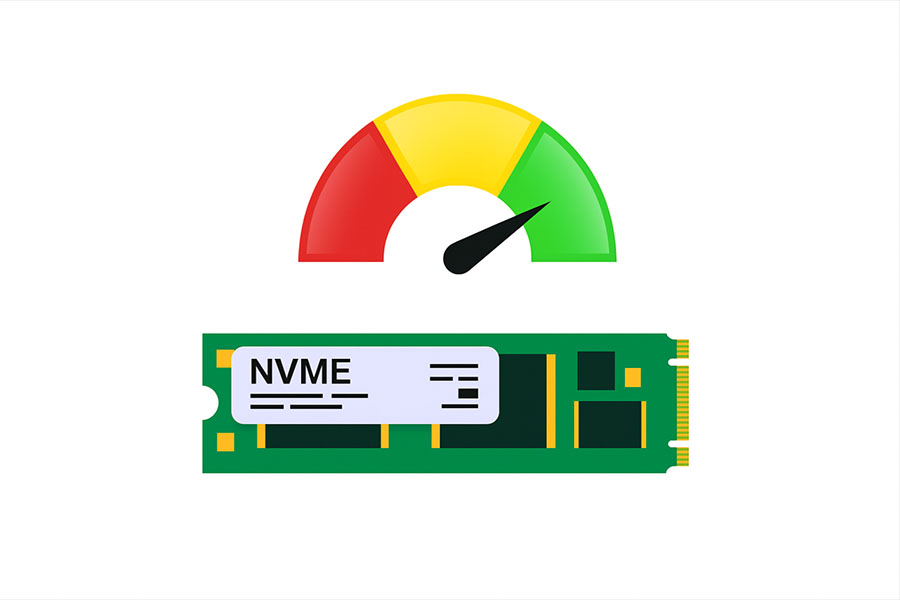
3. NVMe SSD (Next-Generation SSD)
NVMe (Non-Volatile Memory Express) is an advanced generation of SSDs that offers speeds several times faster than regular SSDs by connecting directly to the PCIe bus.
Features and Benefits:
- The highest data read and write speeds among all options
- Very low latency in data processing
- Optimized for heavy tasks such as large databases, data analysis, and advanced processing
- Exceptional performance on servers with high processing loads
Disadvantages:
- Higher cost compared to HDD and regular SSD
- May be overkill for lighter applications
Suitable Use Cases:
NVMe is the best option for large and sensitive projects such as large databases, online game servers, high-traffic websites, and enterprise applications where speed and stability are critical. Russia NVMe VPS and Germany NVMe VPS are two examples of virtual servers with NVMe drives that deliver exceptional performance using ultra-fast NVMe drives and powerful Intel Xeon processors.
Disk Speed Comparison
| Disk Type | Read/Write Speed | Energy Consumption | Cost |
| HDD | Low | High | Cheap |
| SSD | High | Low | Medium |
| NVMe SSD | Very High | Very Low | Expensive |
If high speed and performance are important to you, NVMe SSD or SSD are better options. But if you need large storage space at a low cost, HDD will be a more cost-effective choice.
How to Choose the Right Virtual Server Disk Size?
1. Determine the Server’s Purpose
- Small personal or company websites: A minimum of 20 to 50 GB of SSD is sufficient.
- Online stores and medium-sized websites: 50 to 100 GB of SSD or NVMe SSD is recommended.
- Database and data analysis servers: At least 100 to 500 GB of NVMe SSD is required.
- Storage and Backup Servers: Depending on the data volume, 500 GB to several terabytes of HDD will be suitable.
- Game Server: 100 to 200 GB of SSD is required for optimal performance.
2. Consider the Size of Your Database and Stored Files
If you are using a VPS to store heavy databases, you will need more space. It is recommended to always have 20 to 30 percent free space to maintain optimal performance.
3. Check the Possibility of Upgrading Disk Space
Some providers offer the ability to upgrade disk space in the future. If you are not sure how much space you need, it is best to choose upgradeable plans.
4. Backups and Space Required for Backups
Regular backups take up a lot of space. If your server includes multiple backups, it is best to consider 20 to 30 percent more than the original required volume.
Key Tips for Managing Virtual Server Disk Space
- Optimize Files: Delete unnecessary files and regularly check server space.
- Data Compression: Use tools like Gzip, Zstd, or LZ4 to reduce file sizes.
- External Backups: Instead of occupying server space, use cloud storage services like Google Drive, AWS S3, and Dropbox.
- Check Server Logs: Log files can take up a lot of space. Clean them regularly.
- Check Disk Limits: Some servers have limiting mechanisms to prevent disk filling, which stop services if the space is full.
- Increase Disk Space When Needed: If you find that the disk space is full, migrate to a plan with higher space if possible.
Conclusion
Choosing the right virtual server disk space depends on business needs, storage type, expected performance, and the amount of data. When choosing, you should consider the following:
- If speed and performance are important: use SSD or NVMe SSD.
- If you need a lot of storage space and low cost: HDD is more suitable.
- Always consider extra space for growth and backups.
- Check the possibility of upgrading disk space so that you do not face a shortage of space in the future.
By following these tips, you can choose the best option and ensure the optimal performance of your VPS.